
How to Send a Wedding Invitation on WhatsApp with RSVP (2026 Guide)
To send a wedding invitation on WhatsApp: prepare your guest list, create the event with its details, send the invitation as a registration link or by each guest name, and turn on RSVP so you know how many are coming before the day. Each confirmed guest then receives a personal entry code. It all takes minutes to set up.
What is a WhatsApp wedding invitation?
It is a digital invitation card delivered straight to your guest on WhatsApp, showing the couple names, date and venue, with two buttons to reply: confirm or decline. Guests need no app, and once they confirm they receive a personal entry code.
How to send your wedding invitation on WhatsApp, step by step
- Prepare your guest list with phone numbers, or use a registration link where guests enter their own details.
- Create the event and add its details: couple names, date, time and venue on the map.
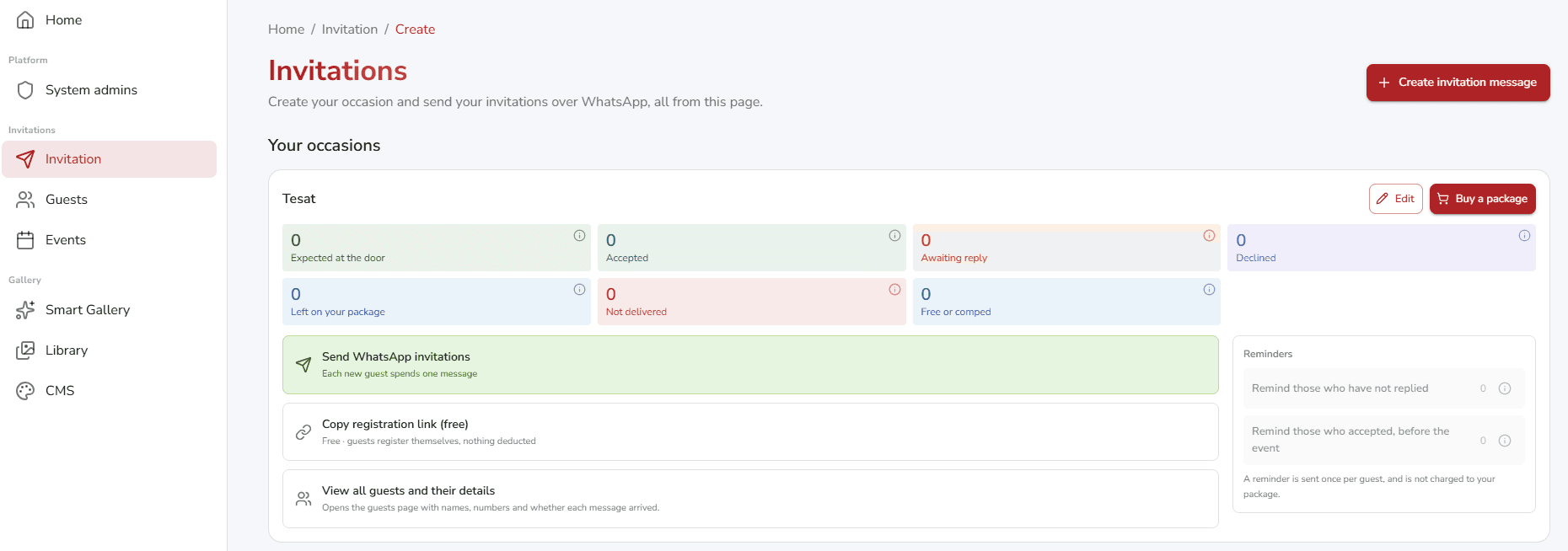
- Choose how to send: a WhatsApp invitation by each guest name, or one link you share in your group.
- Turn on RSVP so every reply reaches you live on one dashboard.
- Send each confirmed guest their personal entry code to organize arrival on the day.
- Remind those who have not replied with one click, so your attendance number becomes reliable.
How do you know the headcount before the event?
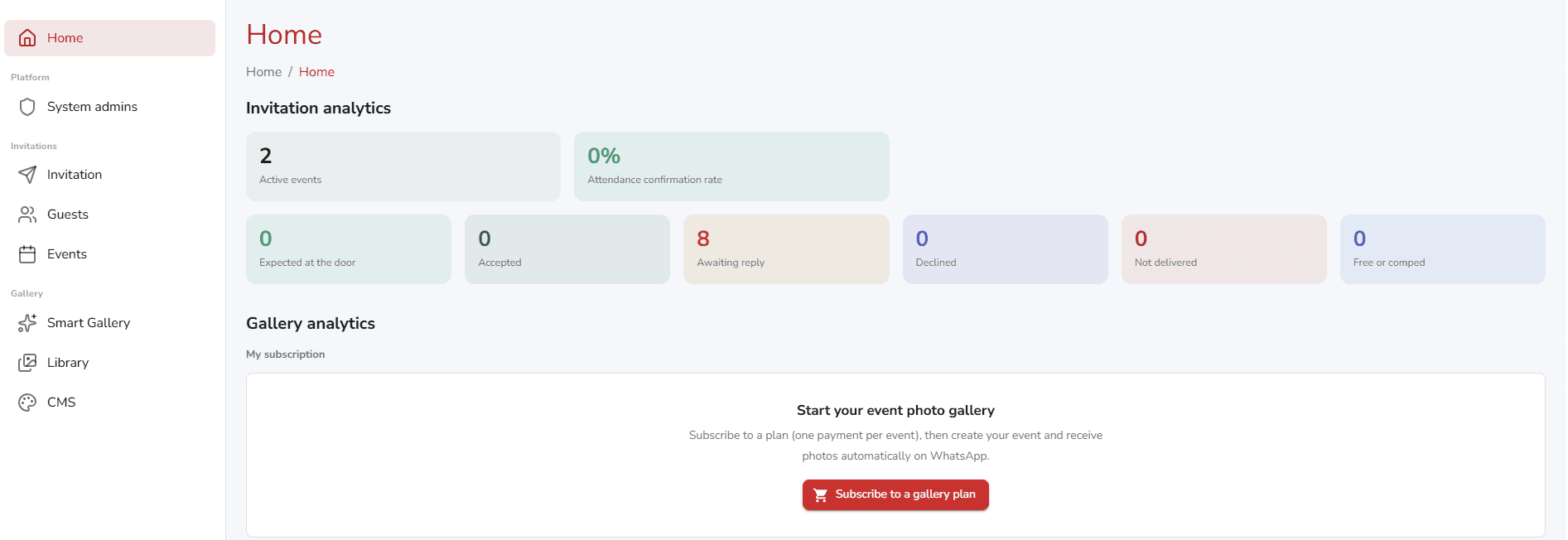
The moment a guest taps confirm or decline, your dashboard updates live: how many confirmed, declined and are still pending, plus total expected attendance. You plan the venue and catering on a real number instead of guessing.
Track every guest and organize entry
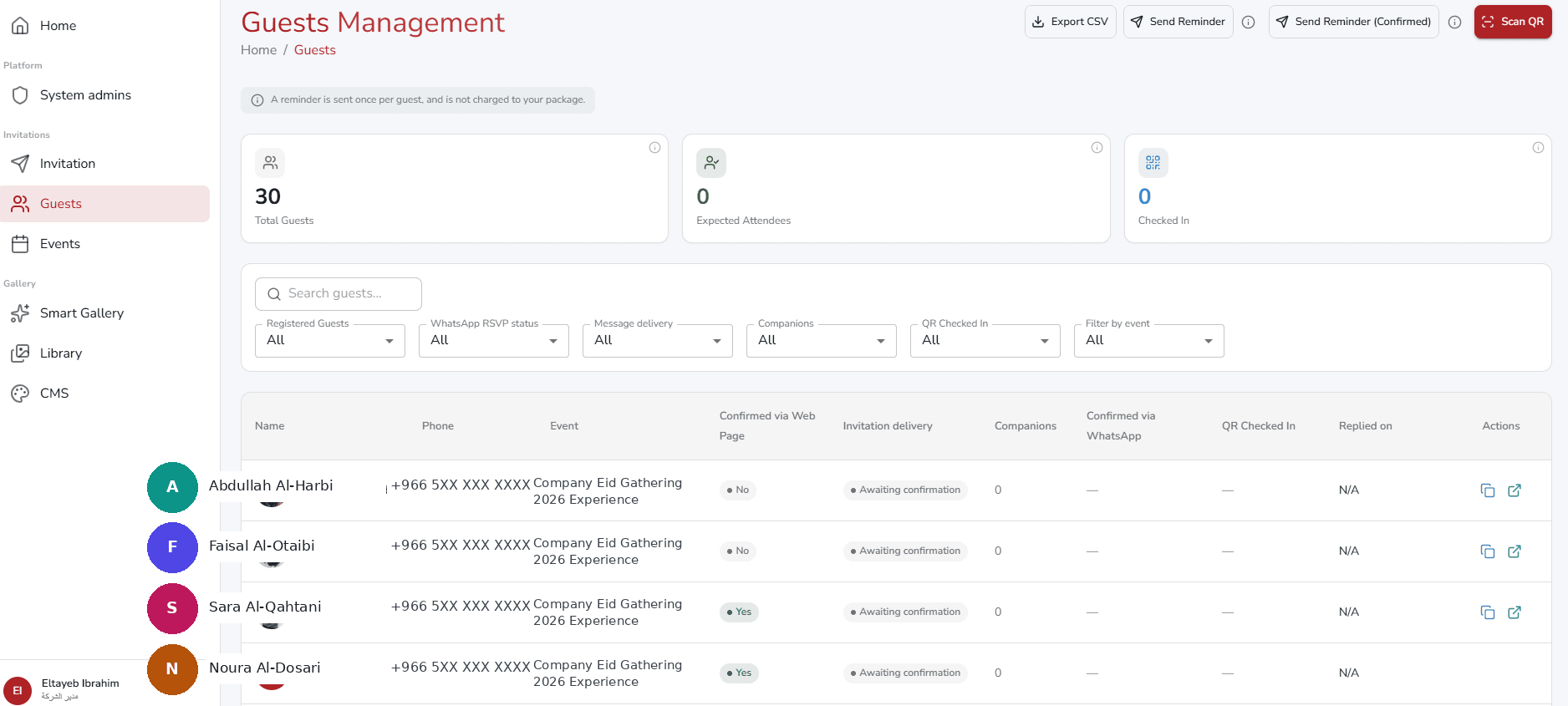
Every guest has a row with delivery status, RSVP status and a personal entry code. At the door the code is scanned and the guest name and status appear instantly, and the same code cannot be used twice.
How much does sending WhatsApp invitations cost?
With Pro Gallery the price is a clear package per event, starting from 99 SAR, with no monthly subscription and no points deducted per message. Reminders are included in the package at no extra cost.
See the invitation packages and pricing, and pick what fits your guest count.
Try it now
Create your account and test sending to your own number in minutes with Pro Gallery free trial, then choose the package that fits your event.
Frequently asked questions
Does the guest need to install an app?
No. The invitation arrives as a normal WhatsApp message and the guest replies with one tap, no app required.
Are reminders counted against me?
No. Reminders for those who have not replied and for those who confirmed are both included in the package price, with no extra fees.
What if I do not have my guests numbers?
We give you a registration link in your event name to share in your group, so guests enter their own details and receive their entry code.
Can I send the invitation in English?
Yes. You can send in Arabic or English, and add English text so non-Arabic-speaking guests understand.